
Statistics
General statistics
Once you are registered, you will have access to some basic tools.
On the main page of your dashboard, you will see the following important information:
In the General Statistics section, you can see the following charts:
- Earnings/Costs ratio
- Qualified calls/Total number of calls ratio and CR (%)
- Call stats by period or day
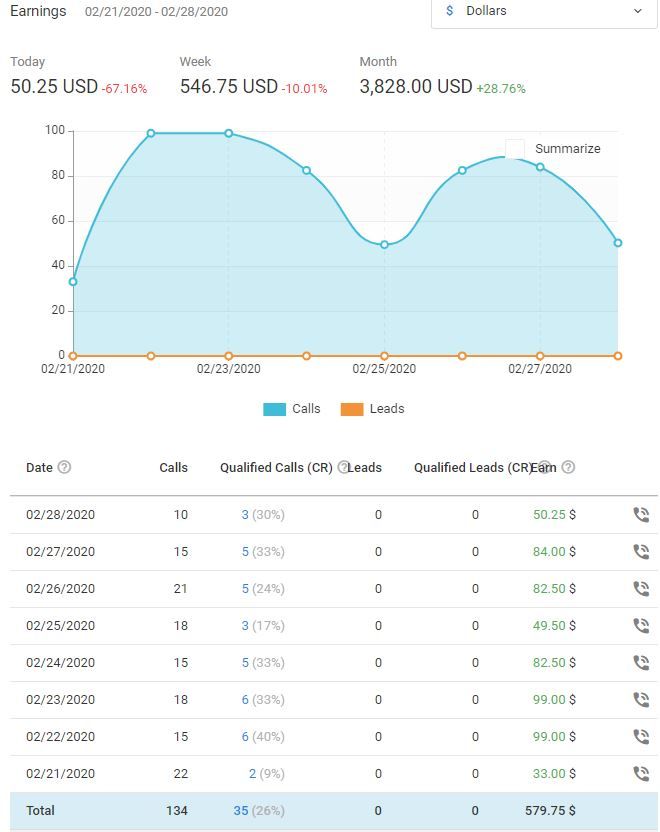
CR (%), or Conversion Rate, shows a percentage of target calls. For example, if 20 out of 100 calls are targeted calls, CR is 20% which is pretty good.
Calls
Call statistics include:
- ID is the unique number of the call;
- Date and time of the call;
- Duration of the call;
- Offer is the Offer the call relates to;
- Calling number is the last 4 digits of the calling number
- Rented number is the phone number you rented within a specific Offer;
- Earnings are the money you were paid for the call. This value is only displayed for “Confirmed” and “HOLD” call statuses;
- Status is the current status of the call;
- Actions include the option that allows you to listen to a recording of the call.
Was this article helpful?
Thanks — that helps us prioritise what to rewrite.
Sorry about that. Ask support directly and we’ll get you sorted.