
Notification of calls/leads/campaigns statuses to Telegram via PostBack
Find and Add the Bot
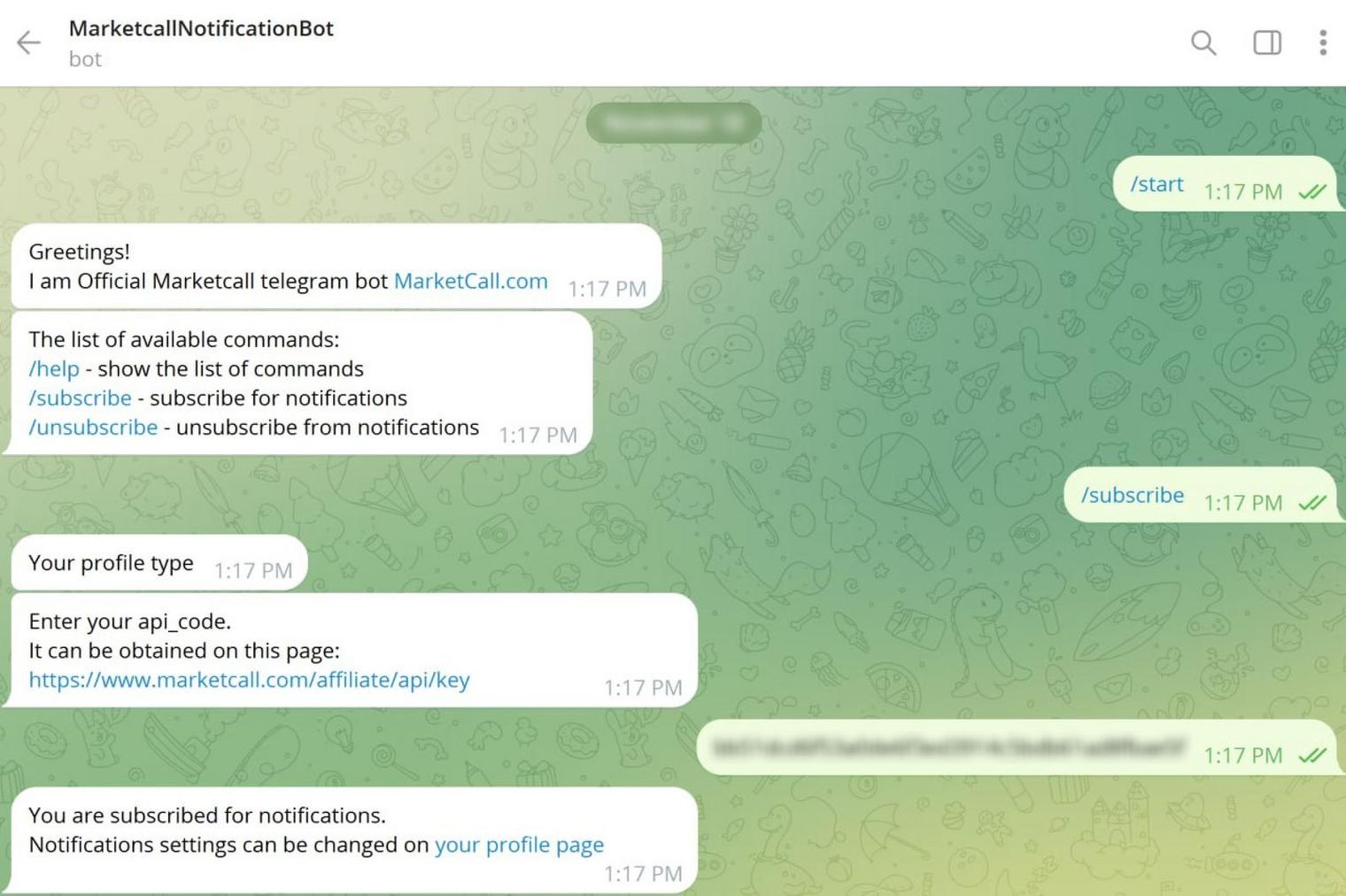
Open Telegram and search for @MarketcallNotificationBot. Add the bot to your contacts.
Activate and Subscribe
Click "Start", then select the "Subscribe" option.
Enter Your API Key
You will need to enter your API key, which can be found here:
https://www.marketcall.com/affiliate/api/key
Example of how it should look:
Configure Notification Settings
Visit the following link to customize your notification preferences:
https://www.marketcall.com/affiliate/profile/notifications
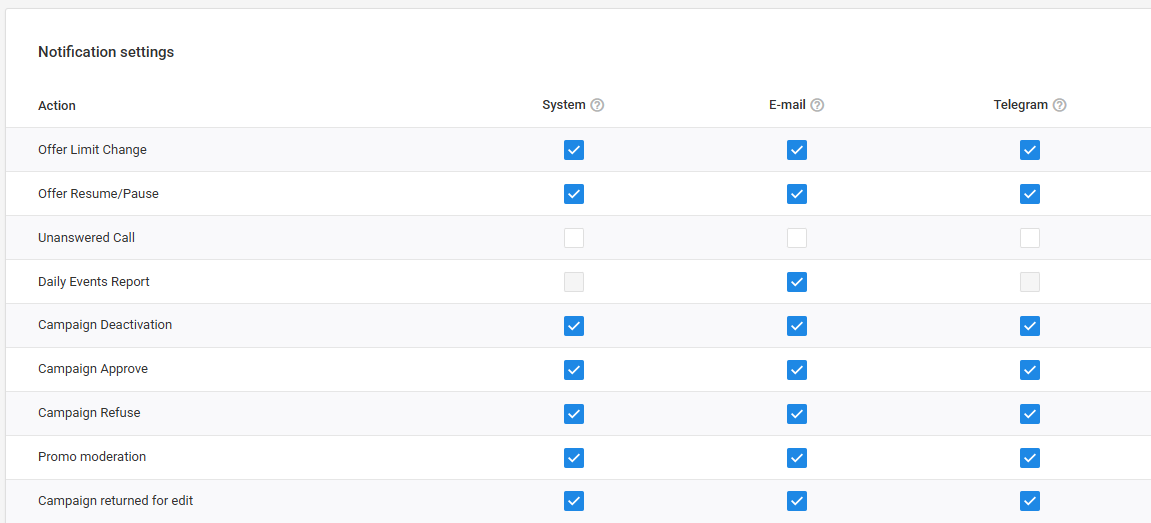
Now you're all set up! You will start receiving notifications according to your preferences.
Was this article helpful?
Thanks — that helps us prioritise what to rewrite.
Sorry about that. Ask support directly and we’ll get you sorted.