
How to get the RTB bid request for your campaign
A bid request is the short message your call platform sends to Marketcall before each call. Marketcall answers whether it can take the call and how much it pays. Every campaign has its own ready-made bid request, and you only need to copy it.
First, make sure the offer supports RTB. Not every offer does. Ask your account manager before you build the integration. If the offer has a separate RTB version, apply to that one.
Step by step
Go to your campaign and open the Tools tab
- Go to your campaign: click My Campaigns in the left menu and open the campaign you want to connect.
- Scroll down the campaign page and find the Tools tab.
- Click it. There you will find the Bid request.
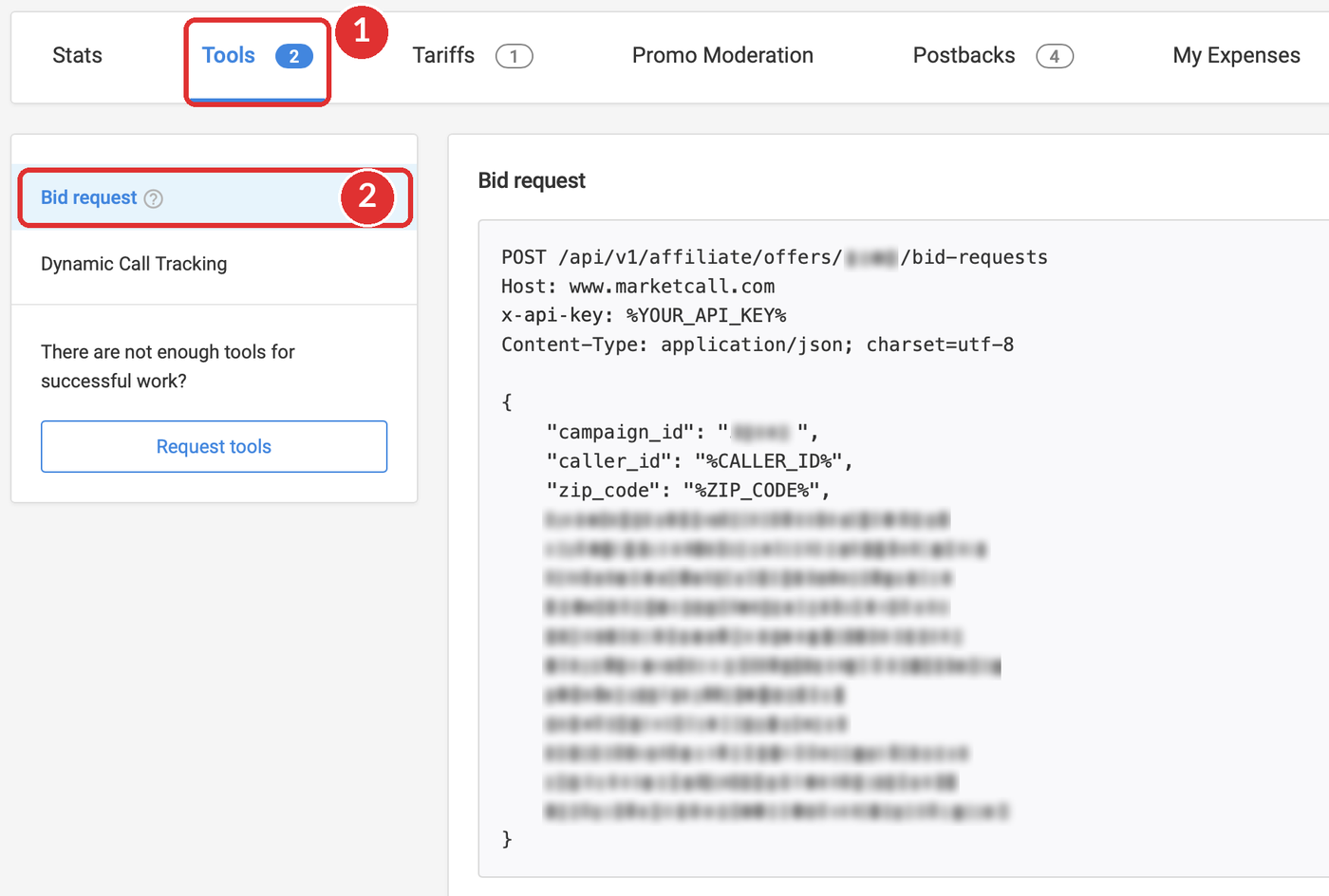
The offer ID, the campaign ID and the offer's own fields are blurred in the pictures. On your screen you will see them in full.
Shortcut: add #rtb-api-tab to the address of your campaign page to land on the bid request directly:marketcall.com/v2/affiliate/campaigns/123456#rtb-api-tab
Here 123456 stands for your campaign ID.
Copy the request
Click the copy icon in the top right corner of the grey box. The whole request is copied: the address, the headers and the body.
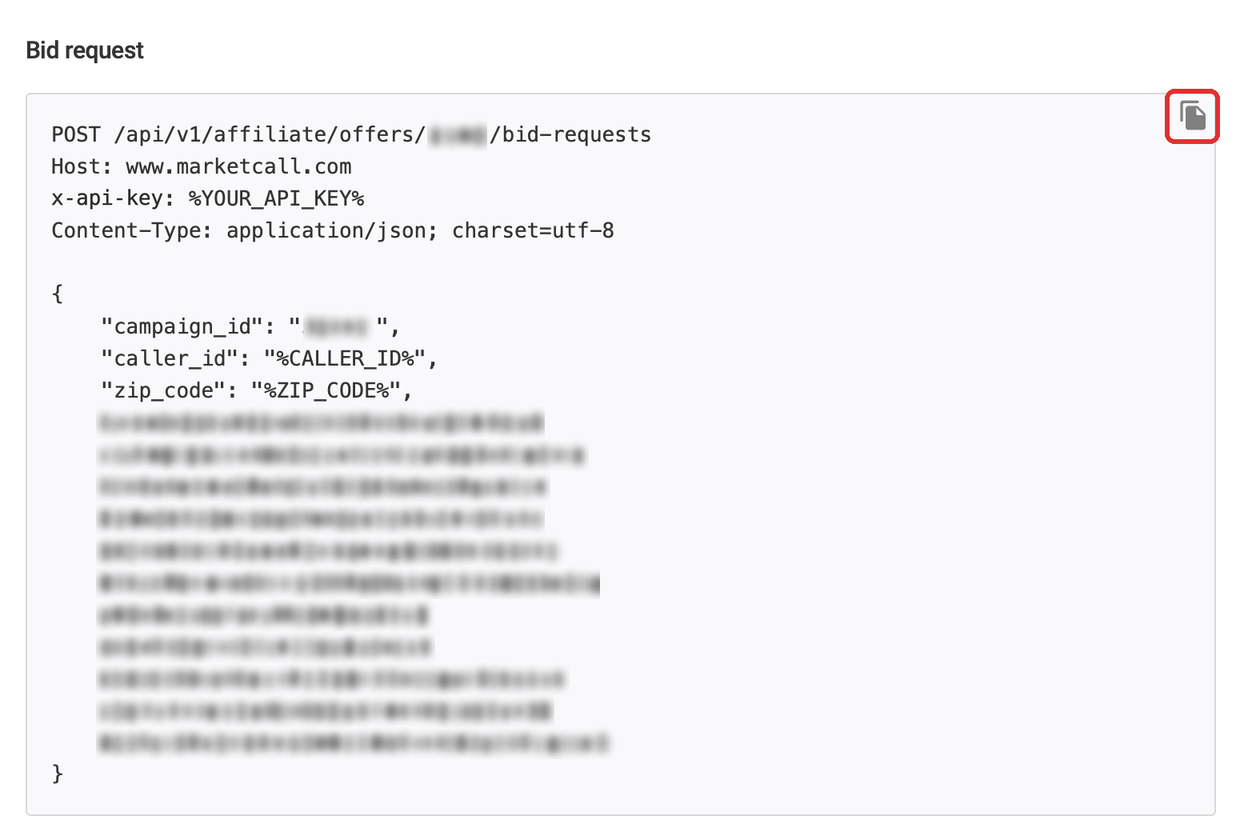
Paste it into your call platform
- Paste the address, the headers and the body into the ping or RTB settings of your platform (Ringba, TrackDrive or another one).
- Put your API key in place of
%YOUR_API_KEY%. See where to find your API key. - Replace every other
%PLACEHOLDER%with the matching token of your platform, so real data is sent with each call.
What is inside a bid request
Every bid request has the same shape. The example below uses made-up IDs.
POST /api/v1/affiliate/offers/OFFER_ID/bid-requests
Host: www.marketcall.com
x-api-key: %YOUR_API_KEY%
Content-Type: application/json; charset=utf-8

{
    "campaign_id": "123456",
    "caller_id": "%CALLER_ID%",
    "zip_code": "%ZIP_CODE%",
    … more fields, depending on the offer
}
Already filled in. The address is different for every offer, so a request from one offer does not work for another.
The only part you add yourself. Replace %YOUR_API_KEY% with your API key.
Already filled in. It ties every call to your campaign.
Everything between two % signs is filled by your call platform for each call, for example the caller's phone number and ZIP code.
The rest of the list differs from offer to offer. Send every field that your campaign's bid request shows.
What Marketcall answers
For every bid request Marketcall sends back a short answer. These three values are the ones your platform needs:
The step-by-step guides for Ringba and TrackDrive show where to enter these values and include full examples of the answer.
Before you go live
- Copy the request from the campaign you are connecting.
- Replace every
%PLACEHOLDER%. - Send all the fields the request lists.
- Reuse a request from another campaign or offer.
- Leave
%YOUR_API_KEY%as it is. - Share the request with your API key in it.
Not sure the offer supports RTB, or the setup does not work? Write to your account manager and name the campaign ID. Don't send your API key.
Related guides
Was this article helpful?
Thanks — that helps us prioritise what to rewrite.
Sorry about that. Ask support directly and we’ll get you sorted.