
How do I withdraw my earnings?
Once your calls pass their hold period and become Approved, the money is yours to withdraw. This article shows how to set up a payout method, request a withdrawal and how long the payment takes to arrive.
Only approved earnings can be withdrawn. Calls still on hold are counted in your balance but become available when the hold period ends. See What is payout cycle, payment frequency?
How to withdraw
Add a payout method
You only need to do this once.
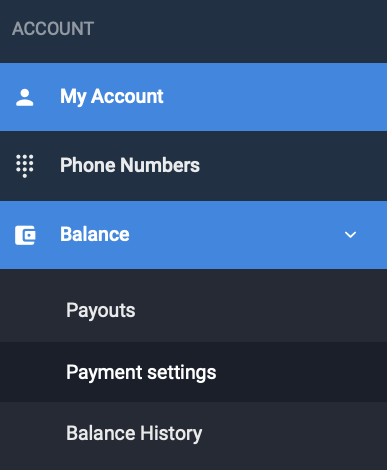
- In the left menu, open Balance → Payment settings. This opens the Payout Settings page.
- In the Payout Methods section, click Add Payout method.
- Choose one of the methods below and fill in your details. The method then appears in your Payout Methods list.

Double-check your details. A payment sent to a wrong bank account or wallet often can't be recovered.
Request a withdrawal
- Open Balance → Payouts.
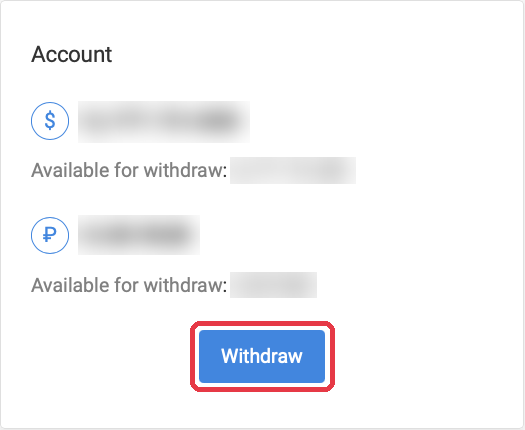
- On the right, the Account box shows your balance and the amount Available for withdraw.
- Click Withdraw, enter the amount, choose your payout method and confirm.
- You'll get a confirmation email once the payment has been sent.
Tip: use the Filters on the Payouts page (date, payment type, status, currency) to find a past withdrawal and check its status. Your full history of earnings and holds is under Balance → Balance History.
How long does it take?
Most payments arrive within 1–3 business days of your request. Here is how long withdrawals actually took over the last 90 days:
Bank transfers through Tipalti can take a little longer depending on your bank.
Good to know
- Changing your method: you can add a new payout method at any time in Balance → Payment settings. Set it up before you request a withdrawal.
- First withdrawal: you can make your first withdrawal once you have at least $300 on your balance and 10 approved calls or leads. See the General Affiliate Rules.
- Minimums and fees can depend on the payout method. If you're unsure, ask your account manager before you request a withdrawal.
Payment hasn't arrived? If it's been more than 5 business days since the confirmation email, contact your account manager with the withdrawal date and amount.
Was this article helpful?
Thanks — that helps us prioritise what to rewrite.
Sorry about that. Ask support directly and we’ll get you sorted.